
Your Guide to Renewing and Managing Your PLB Membership
As we prepare for a new membership year, we’re excited to share updates that make it easier than ever to manage your Protect Lake Beulah (PLB) membership. Whether you’re renewing, updating your information, or exploring our new tiered membership options, we’ve streamlined the process to give you more clarity and control.
This guide walks you through the most common membership tasks — from logging into your profile to adding secondary members — so you can navigate everything with confidence. While we’ve worked hard to simplify and modernize the system, we know transitions can come with questions. If anything feels unclear or you run into an issue, our team is here and ready to help.
Below, you’ll find step‑by‑step guidance on:
Selecting a new membership tier (which also renews your membership)
Renewing your membership directly (stick with your current tier)
Together, these tools help ensure your membership is accurate, up to date, and aligned with the level of support you choose for lake protection. Let’s get started!
Before You Begin
You must log in with the email address associated with your PLB membership
If you and a spouse share an email, only one of you is the “Bundle Coordinator”
If you’re unsure which email is on file, contact membership@protectlakebeulah.org
How to Login and Manage your Membership
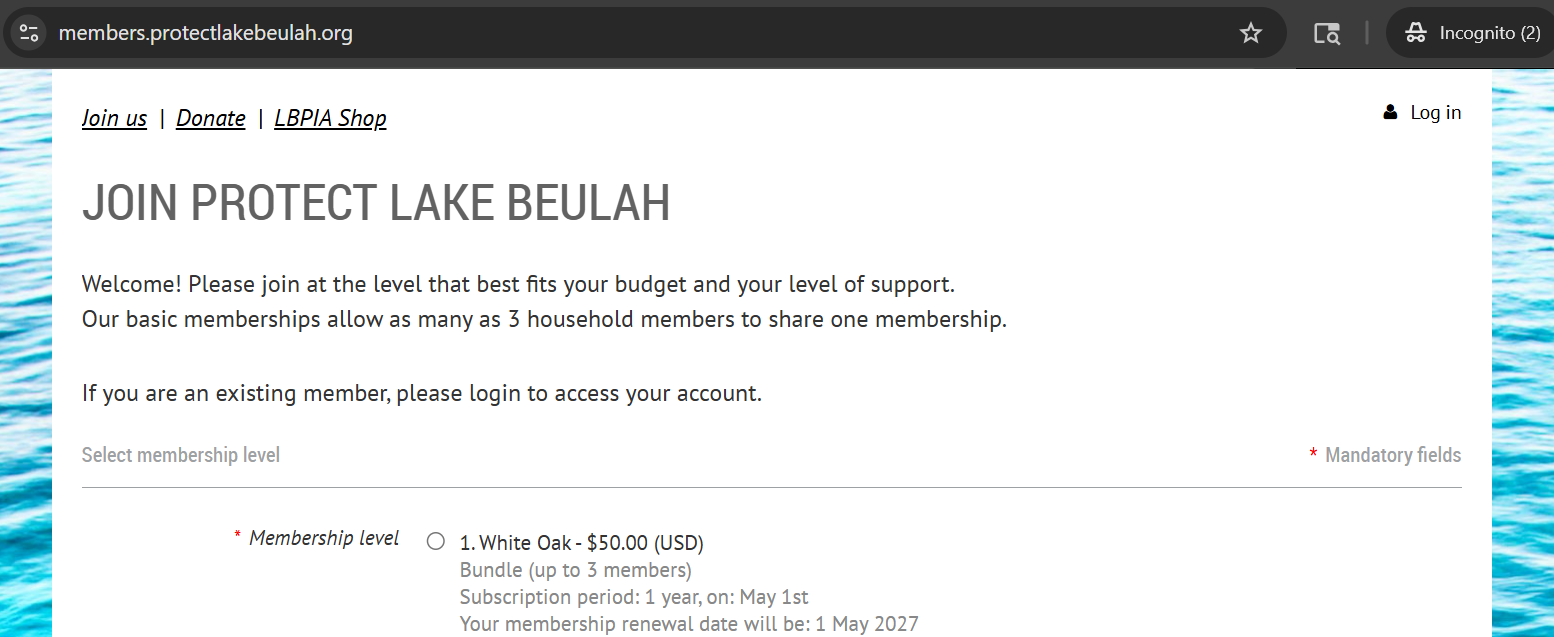
Go to members.protectlakebeulah.org
Click “Log In” in the upper right corner
Input your email and password before clicking “I’m not a robot”. Follow the prompts to confirm you are not a robot
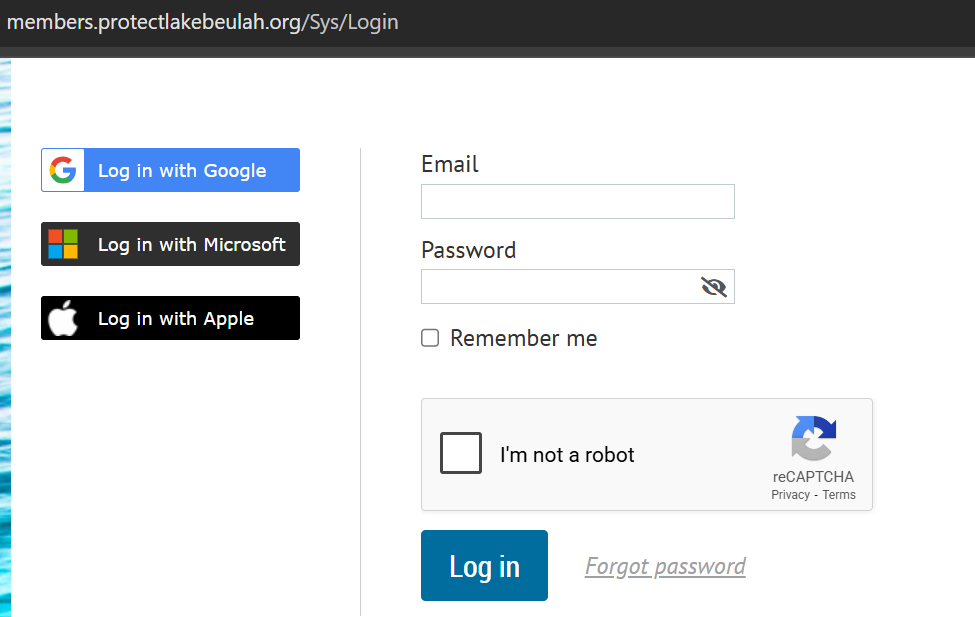
Pro Tip: you must log in with the email address on file with Protect Lake Beulah. This is likely the address where you receive our member update emails!
If you forgot your password, click “Forgot Password” and follow the instructions
If you have issues or need support, please reach out to membership@protectlakebeulah.org
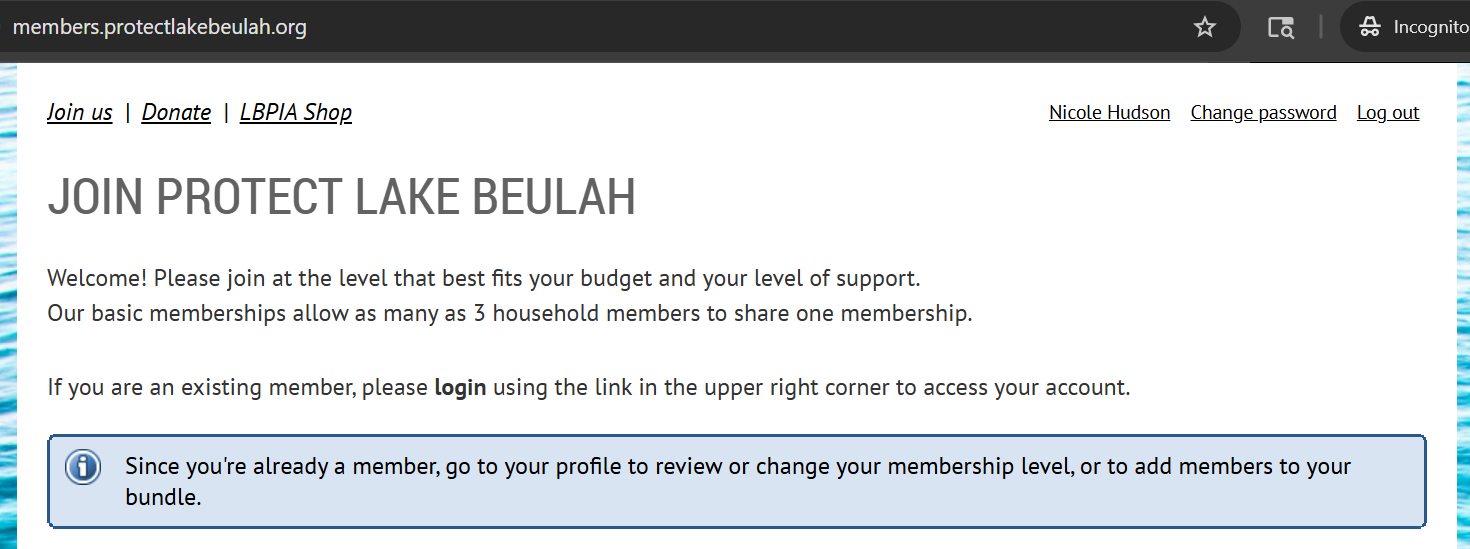
Once logged in, click your Name in the upper right corner to view your profile
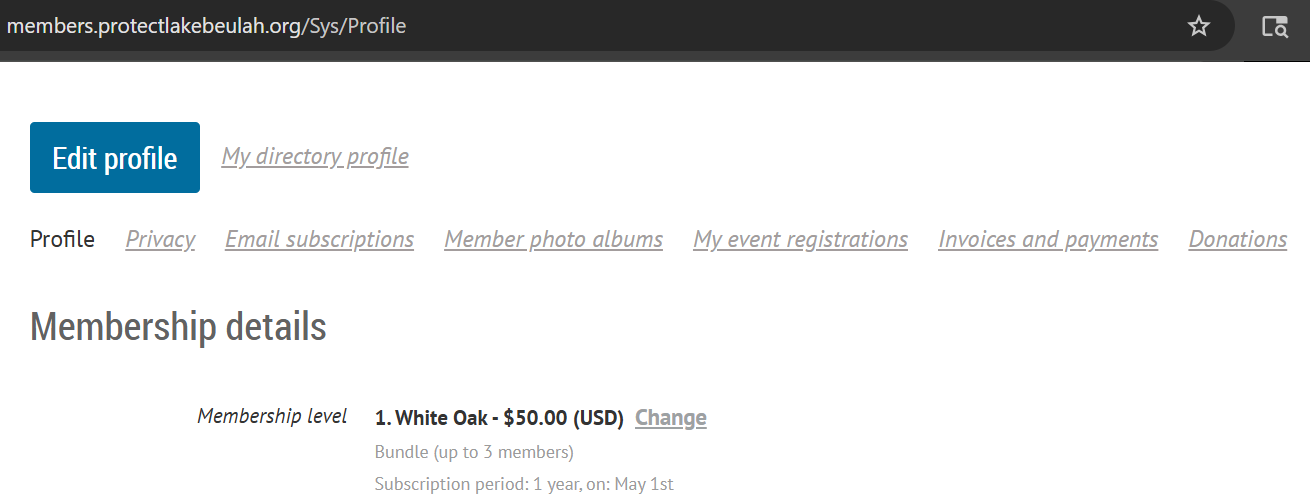
Click “Edit Profile” to confirm or edit your member details such as your address, mail preferences, and other contact information
Be sure to click save at the bottom of the page to retain any edits!
Select your Membership Tier
With the 2026 season, PLB has introduced a tiered membership structure designed to give every household more flexibility and clarity in how they support lake protection.
Our new levels — White Oak, Painted Turtle, Largemouth Bass, and Bald Eagle — reflect the diverse ways members contribute to the stewardship of Lake Beulah, whether through foundational annual support or higher‑impact giving. This tiered approach strengthens our long‑term planning, aligns contributions with the growing needs of the lake, and gives members the ability to choose what feels right for them.
Below, you’ll find simple steps to update your membership tier.
Once you have logged in, view your member profile by clicking on your name in the upper right corner
Under the “Membership details” section, click “Change” next to your current membership level
Select your preferred membership tier and click Next
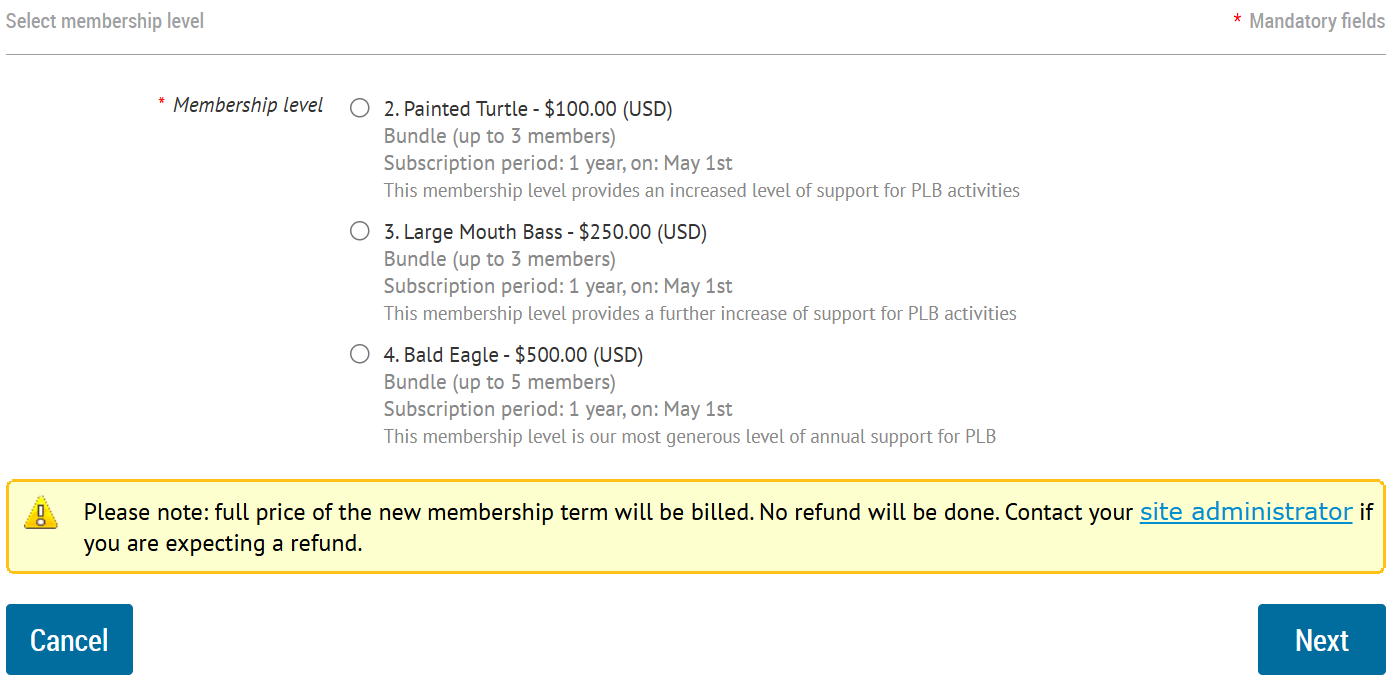
Review your member details before clicking Update and Next
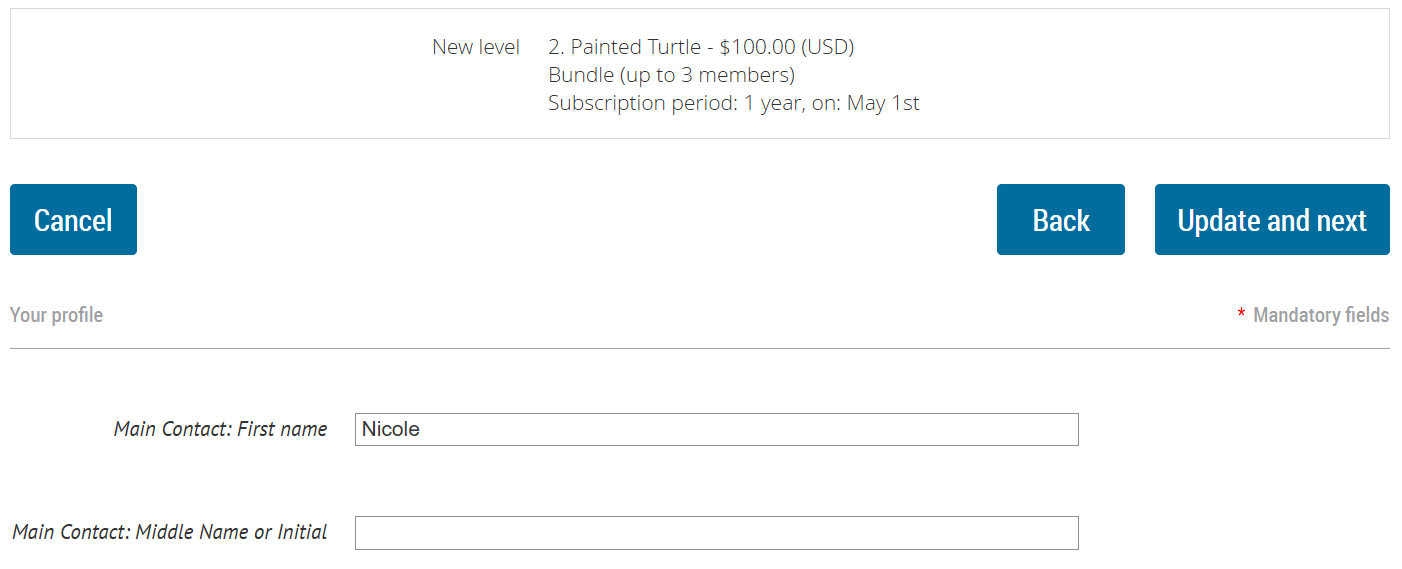
Pro Tip: there is an option to include an additional donation on your member details page if you feel so inclined!
Review your membership selection and choose your payment option
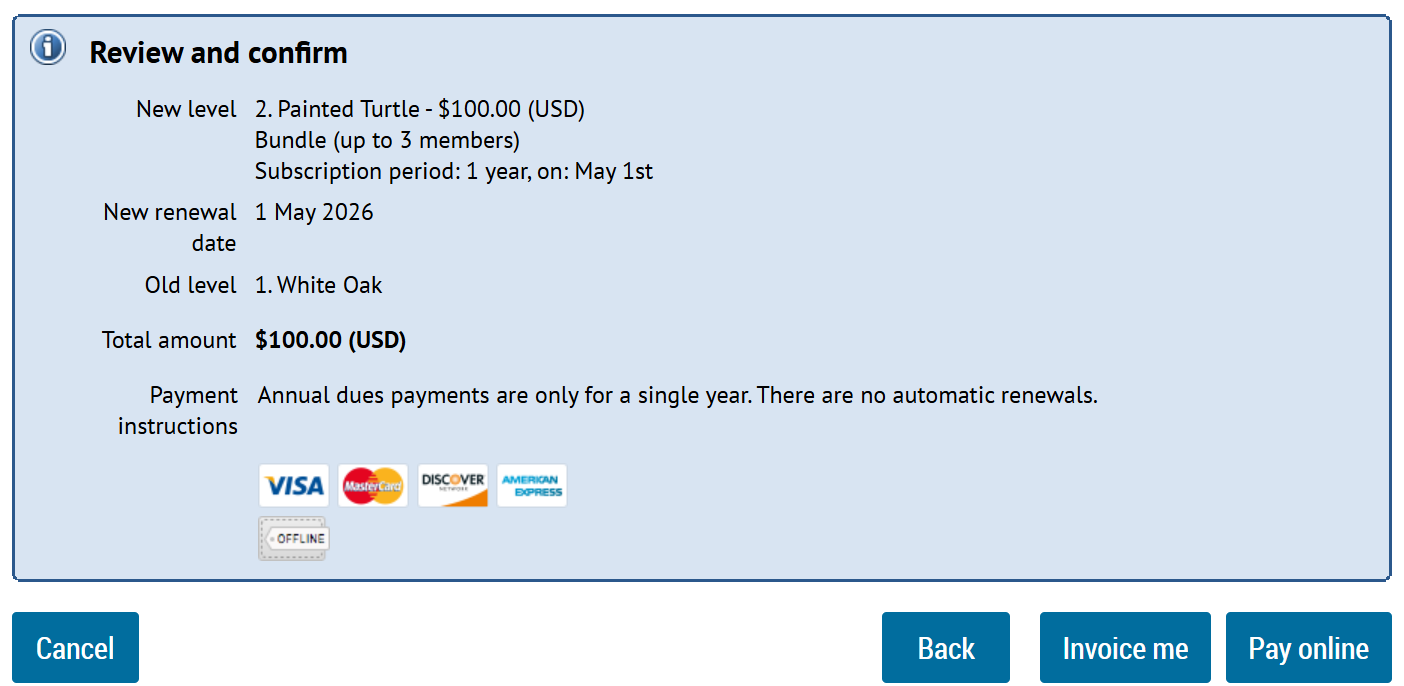
Important Financial Notes: Protect Lake Beulah does NOT save or store any payment or card information. Our online payment system uses industry-standard security protections, including encrypted transmission of payment information. If you prefer to pay by check, we highly encourage you use your bank’s standard precautions for secure mailing.
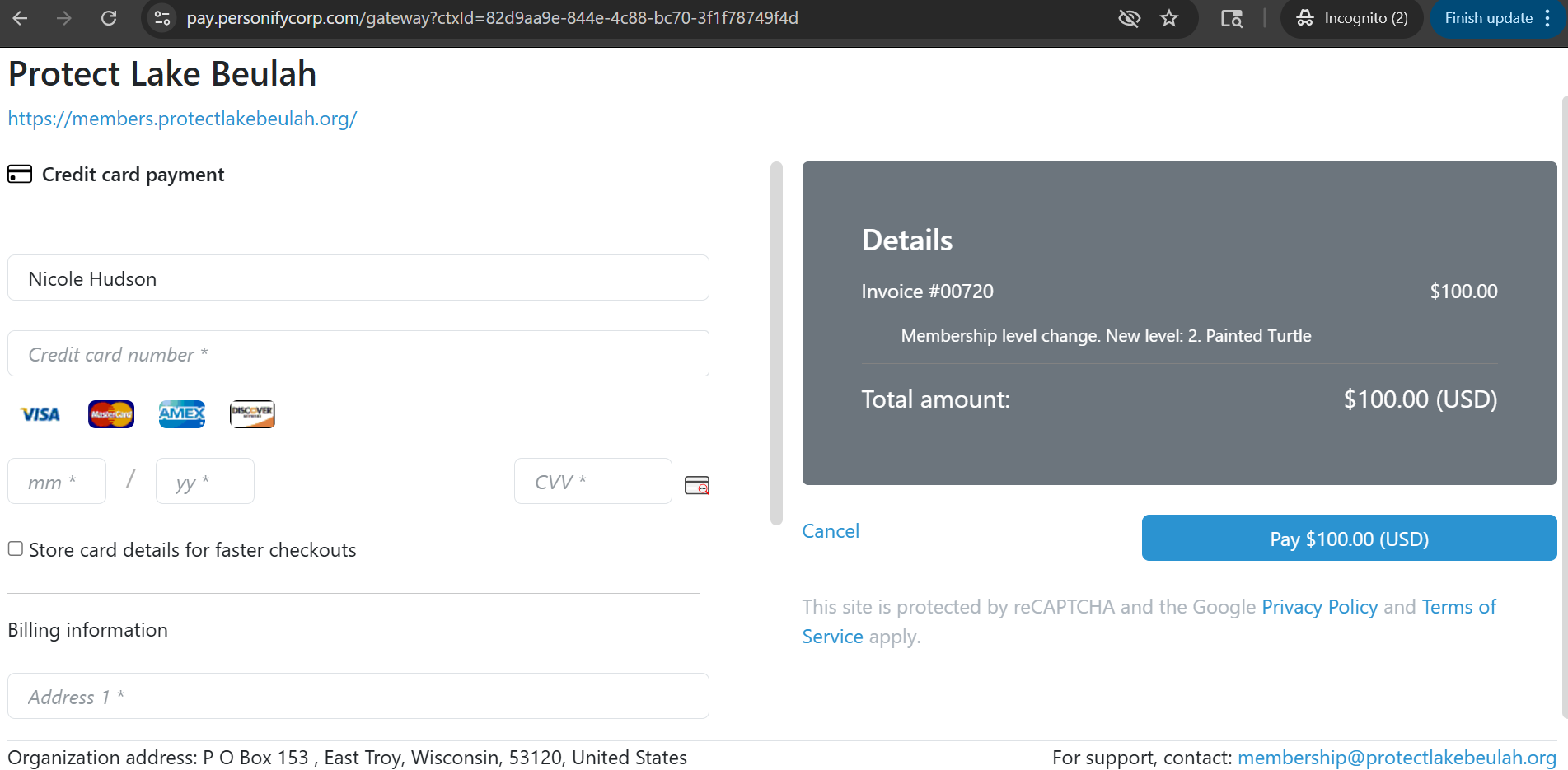
Upon clicking “Pay Online” you will be routed to the secure payment portal
Input your payment details and click the Pay button to complete your membership
Renewing Your Current Membership Tier
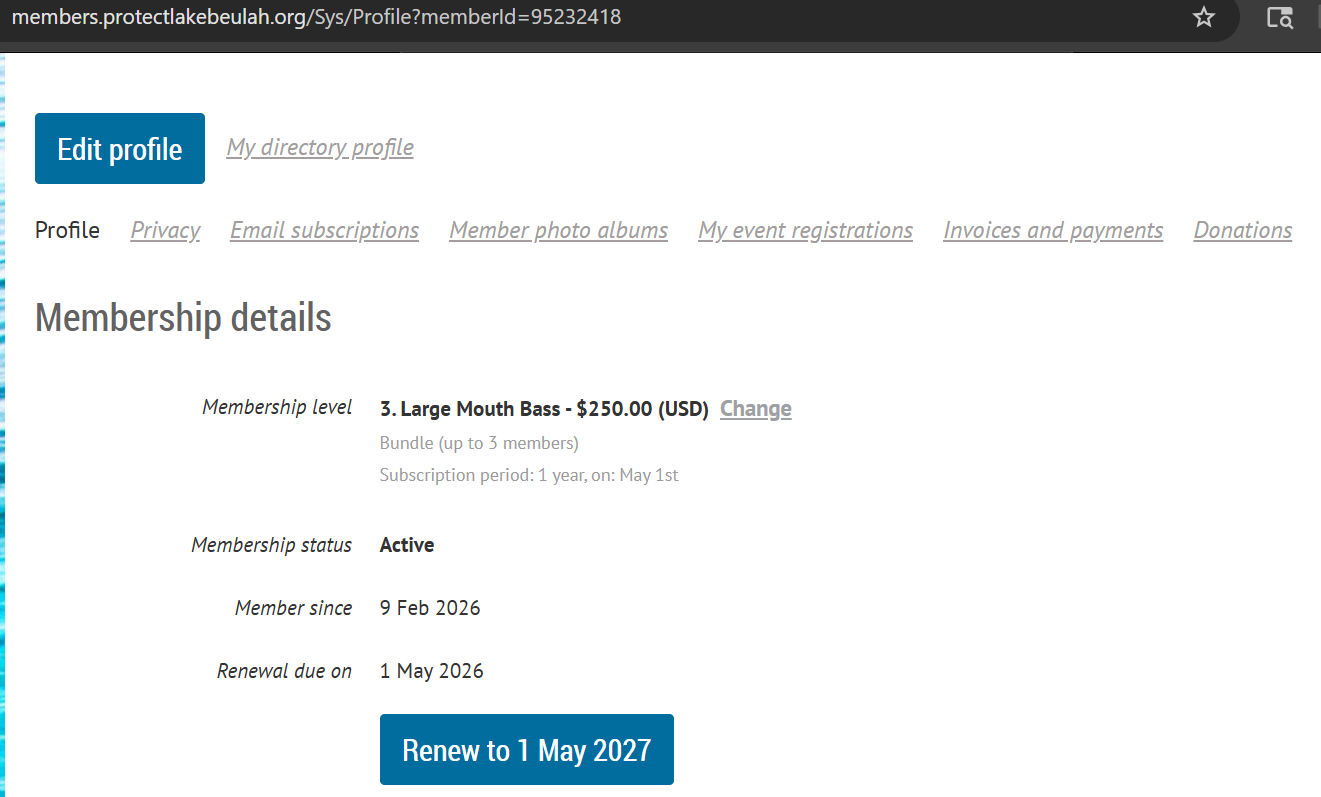
If you prefer to retain your current membership level, view your member profile by clicking on your name in the upper right corner once you have logged in
In the Membership details section, click the blue Renew button
Note: If you do not see a Renew button yet, renewal may not be open for your membership. Check back soon or contact us for help.
Review your member details before clicking Update and Next
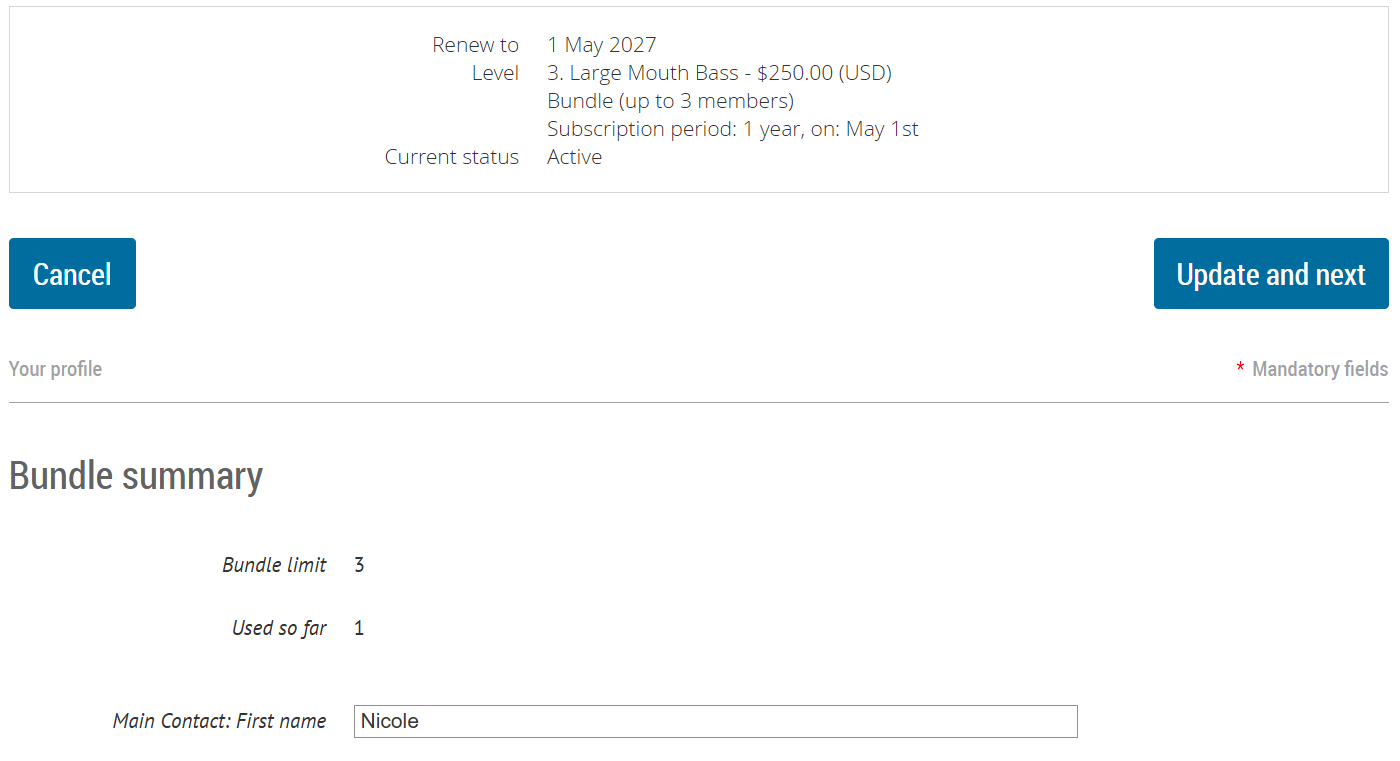
Pro Tip: there is an option to include an additional donation on your member details page if you feel so inclined!
Review your membership selection and choose your payment option
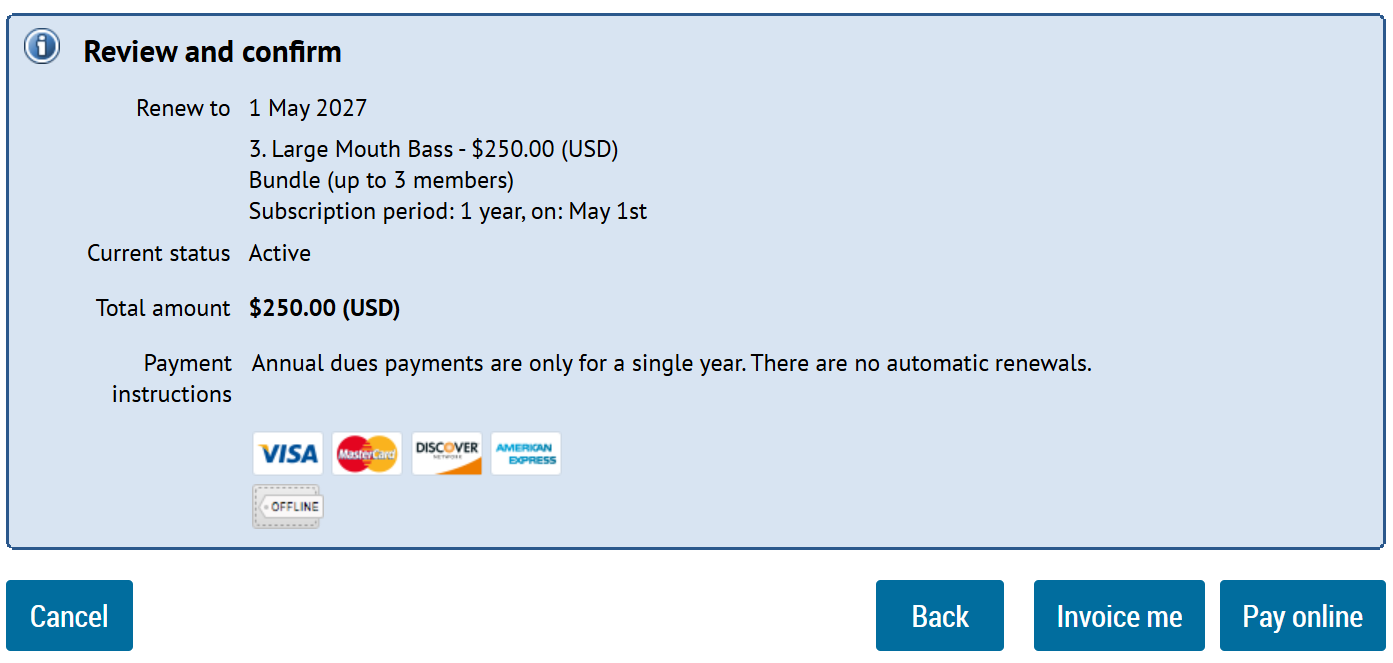
Important Financial Notes: Protect Lake Beulah does NOT save or store any payment or card information. Our online payment system uses industry-standard security protections, including encrypted transmission of payment information. If you prefer to pay by check, we highly encourage you use your bank’s standard precautions for secure mailing.
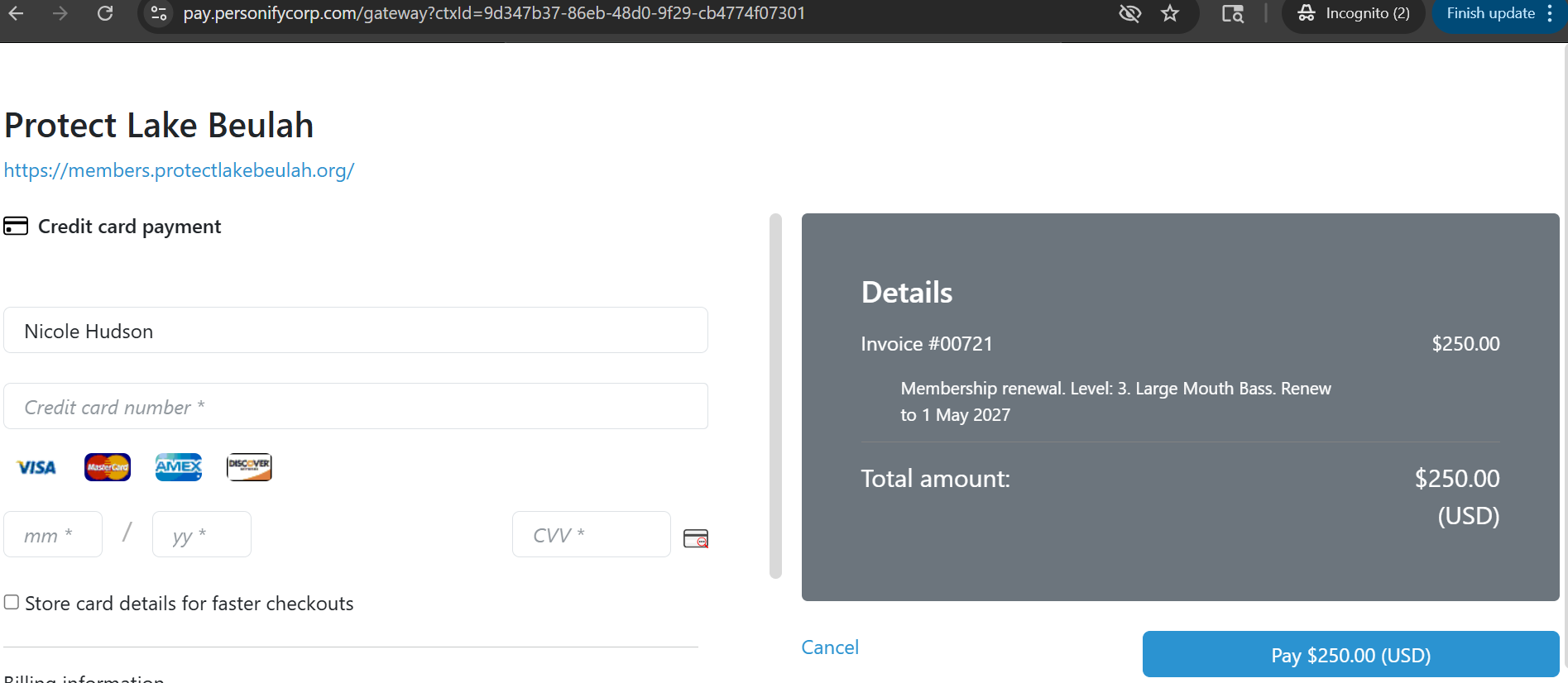
Upon clicking “Pay Online” you will be routed to the secure payment portal
Input your payment details and click the Pay button to complete your membership
Adding Members to your Household
Membership tiers allow you to bundle a set number of people under a single membership
To add other members of your household, view your member profile by clicking on your name in the upper right corner once you have logged in
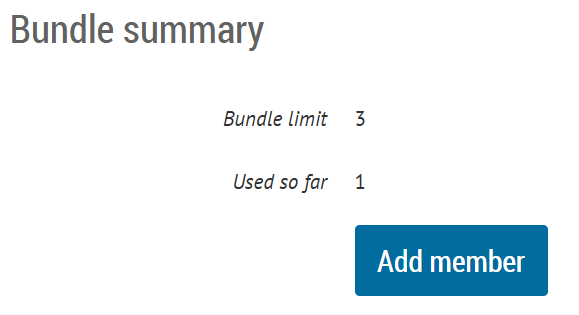
On the your profile page, scroll down to the Bundle summary section and click Add Member
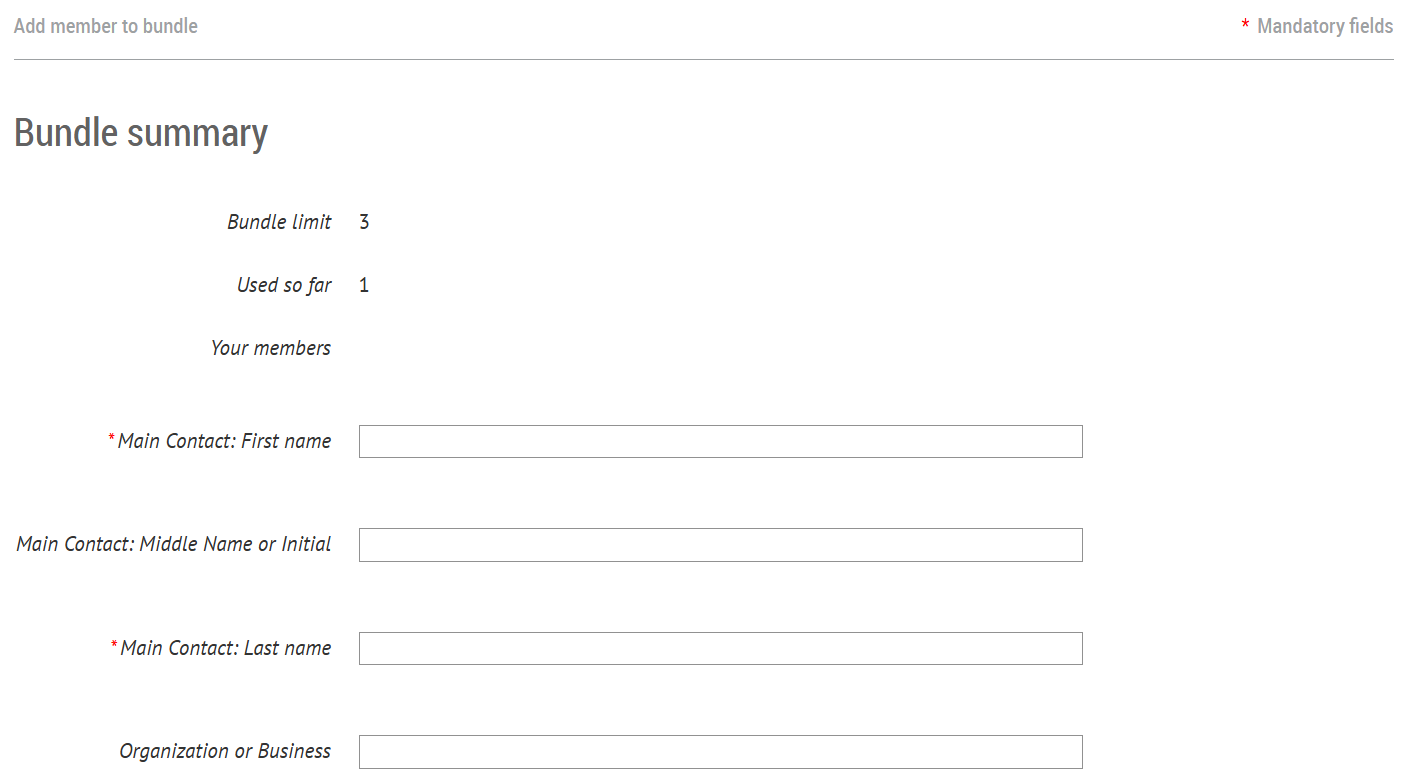
Input the additional member details including email address and click Save at the bottom of the page
Important Note: Each bundle member must have their own email address if they want to log in or receive PLB communications.
You may see an informational banner stating you are viewing a bundle member
To return to the primary profile, click “Return to bundle list and your own profile”

If you would like to remove a member from your bundle, click Archive
Important Notes about Bundling Members:
The primary owner of the membership (labeled Bundle Coordinator) is the owner and manager of the overall membership
Only the Bundle Coordinator can update the membership tier, renew, or make payments
Automated renewal emails will only distribute to the primary owner
Who to Contact for Additional Support:
We’re standing by and ready to help! If you have any questions, contact us at membership@protectlakebeulah.org and a member of our team will get back to you as soon as possible.
What Happens Next:
You’ll receive a confirmation email upon completion of your renewal or membership tier change
Your membership status will update immediately
You’ll receive renewal reminders only if you have not yet renewed
Bundle members will automatically be included under your renewed membership
We’re grateful for your continued commitment to protecting Lake Beulah, and we hope this guide makes managing your membership simple and stress‑free. If you run into any questions along the way, our team is always here to help. Together, we’re building a stronger, more connected community of lake stewards for the year ahead.